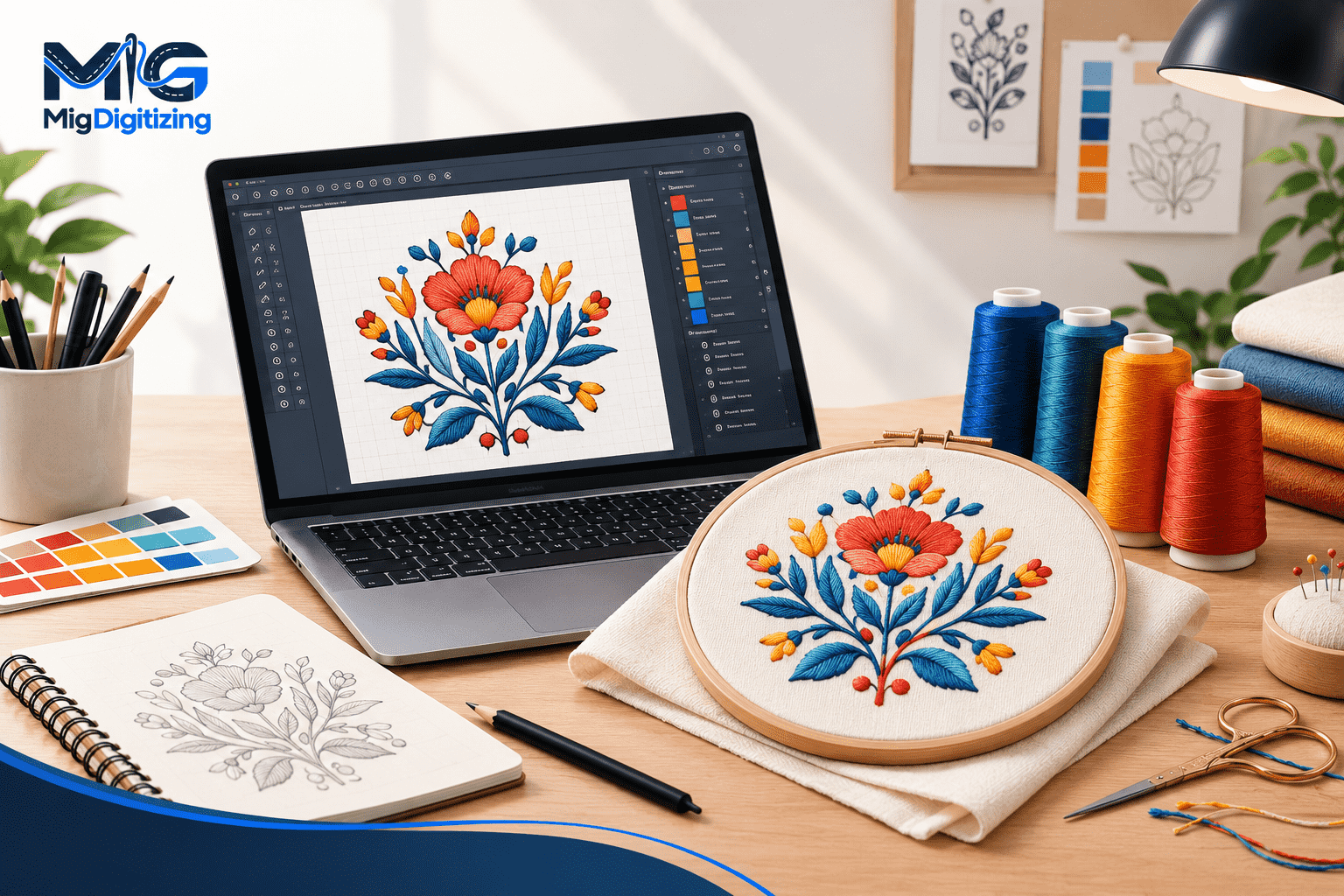
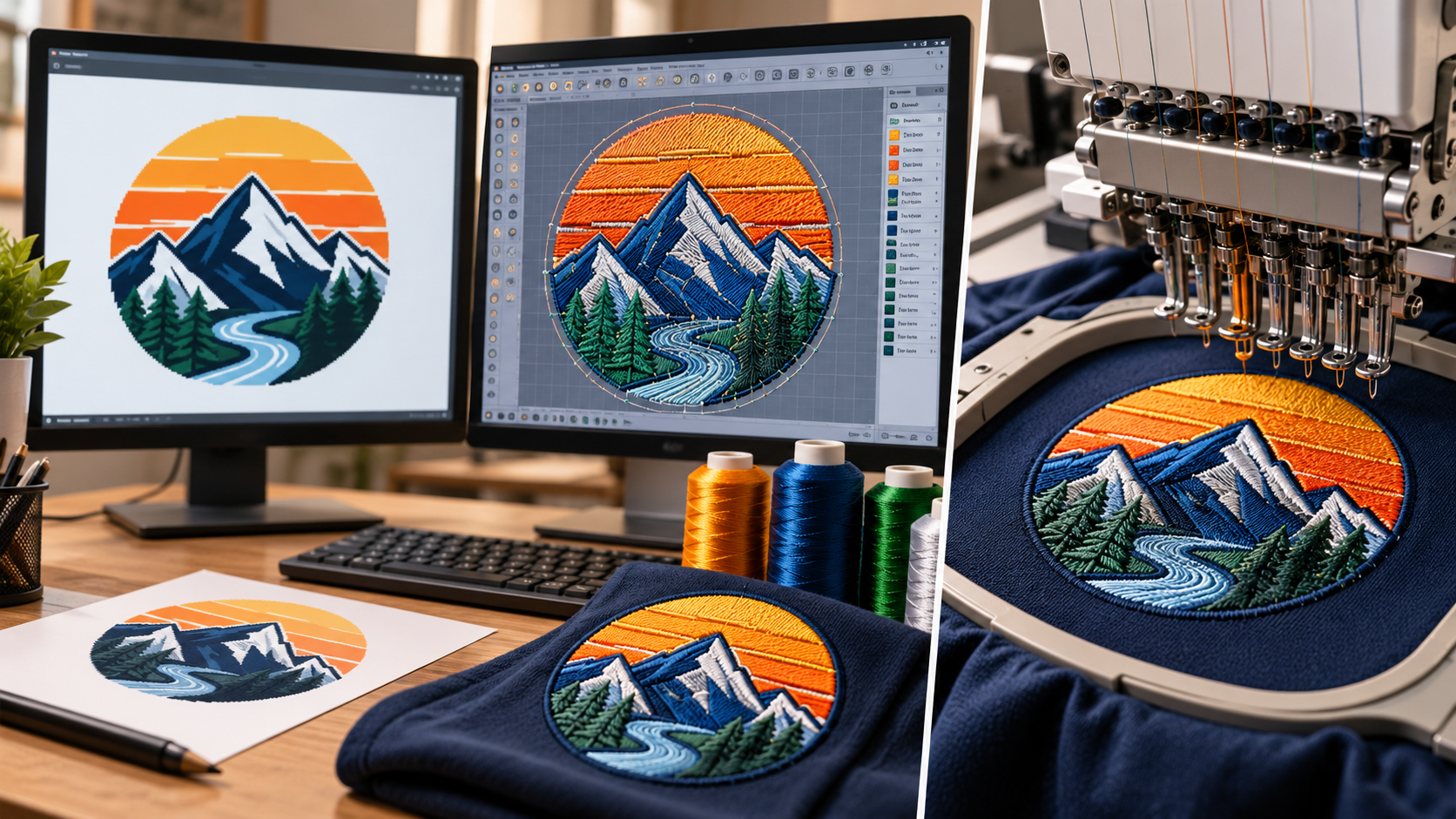
To create your own embroidery design, start with a simple idea, sketch the artwork, choose suitable colors, and prepare a clean digital image. Then use embroidery digitizing software to convert the artwork into stitch instructions. Select appropriate stitch types, density, underlay, and design dimensions, export a machine-compatible file, and test-stitch it on the intended fabric. Adjust the design based on the sample before embroidering the final item.
Creating your own embroidery design is a rewarding way to turn an idea into something you can wear, gift, sell, or use to promote a business. A simple flower can become a decorative hoop design, a hand-drawn symbol can become a jacket patch, and a company logo can be transformed into branded apparel.
The process may seem complicated when you first encounter embroidery software, stitch settings, and machine file formats. However, you do not need to master every technical detail on your first attempt.
The key is to separate the creative process from the technical process. First, decide what you want the design to communicate. Next, prepare artwork that works at the intended size. Finally, convert it into stitch instructions and test how it behaves on fabric.
Understanding these stages helps you avoid common mistakes, such as using too much detail, making lettering too small, or assuming that a regular image file can be stitched directly by an embroidery machine.
This guide explains how to develop original embroidery designs, choose useful tools, work with digitizing software, select stitch types, and improve the final result. It is intended for beginners, hobbyists, apparel decorators, and businesses developing custom embroidery for the US market.
An embroidery design is artwork prepared to be reproduced using stitches rather than ink or pixels.
A regular image describes visual information through pixels or vector shapes. An embroidery machine, by contrast, needs instructions describing where stitches should be placed, how they should travel, and how different objects should be sewn.
These instructions are usually created through a process called embroidery digitizing.
A digitized design contains information such as stitch coordinates, stitch types, sequencing, and color changes. Depending on the machine and file format, it may also include commands for stops and trims.
For example, a flower illustration might contain several petals, a center, and a stem. A digitizer decides which parts should use satin stitches, which should use fill stitches, and how the machine should move between those areas.
The result is more than a digital picture. It is a production plan for embroidery.
That distinction is important because a beautiful illustration does not automatically make a good embroidery design. The artwork must be adapted to the physical behavior of thread and fabric.
Designing your own embroidery gives you control over the artwork, dimensions, colors, and intended use.
You can create initials, decorative flowers, pet-inspired artwork, names, and personalized gifts.
Custom designs can help apparel brands, craft sellers, and embroidery shops develop products that stand apart from generic designs.
Businesses can prepare logos for uniforms, caps, workwear, and promotional merchandise.
Creating your own designs lets you explore different stitch textures, color combinations, and artistic styles.
Once a design is properly digitized, it can often be reused, resized within reasonable limits, or adapted for related products. Significant resizing may require further digitizing adjustments.
For businesses, original designs also create opportunities to develop consistent visual identities across patches, clothing, and accessories.
You do not need an expensive studio to begin creating embroidery designs. Start with a few basic tools and add specialized equipment as your skills develop.
A pencil, sketchbook, tablet, or graphics application is enough to develop an initial concept.
Vector graphics software is helpful when you need clean shapes, smooth outlines, and scalable artwork. Raster image editors are useful for photographs, hand-drawn scans, and painted illustrations.
Digitizing software converts artwork into stitch instructions. Depending on the program, it may allow you to create stitch objects, adjust stitch angles, set underlay, edit density, add lettering, and export machine files.
Common examples include:
Hatch Embroidery: design creation and digitizing tools for different skill levels.
Wilcom EmbroideryStudio: professional embroidery design and production tools.
Brother PE-Design: design and digitizing software for compatible embroidery workflows.
Ink/Stitch: an open-source embroidery extension that works with Inkscape.
Embrilliance: software products for specific embroidery editing and design tasks.
Features and supported formats vary by product and version, so choose software that fits your machine and workflow.
A machine is needed to test a design physically. You will also need compatible needles, embroidery thread, stabilizer, suitable fabric, and the correct hoop.
If you do not own a machine, you can still prepare artwork and learn the design process. A digitizing service or embroidery provider can help you turn the artwork into a stitched sample.
Every good design begins with a clear purpose.
Before opening a drawing application, ask yourself three questions:
What is the design meant to represent?
Where will it be embroidered?
Who will use or wear the finished item?
A design for a baseball cap needs different treatment from a decorative design for a large jacket back.
For a cap, bold lettering and simple shapes may be more practical. A large jacket design can accommodate more visual elements, provided the fabric and stitch structure support them.
Inspiration can come from nature, architecture, personal interests, business branding, geometric patterns, or hand-drawn illustrations.
Study references to understand composition and style, but avoid copying another artist's protected artwork or using a commercial logo without permission.
For commercial projects, develop original concepts and confirm that you have the rights to use any supplied assets.
Practical tip: Write a one-sentence brief before designing. For example: “Create a three-color mountain emblem for a hiking club, suitable for a four-inch jacket patch.” This simple description helps guide later decisions.
A rough sketch gives you room to experiment before worrying about software settings.
Begin with the main silhouette. Add the most important shapes first, then introduce supporting details only where they improve the design.
At this stage, focus on composition rather than perfection.
Check whether the design has a clear focal point. Make sure adjacent shapes can be distinguished from one another and leave enough space for important details.
Thread behaves differently from ink on paper. Very thin lines, tiny gaps, and small isolated details may not translate well into stitches.
For example, a detailed leaf illustration may contain dozens of fine veins. An embroidery version might use a simple leaf shape and a few carefully placed lines instead.
Simplification does not mean making every design basic. It means preserving the details that matter most at the intended size.
Decide the approximate finished width and height before digitizing.
A design created for a small cap panel should not simply be enlarged for a jacket without reviewing stitch settings. Significant resizing can affect stitch lengths, density, and overall appearance.
Once your sketch is ready, create a clean digital version.
You can draw directly in a graphics program, scan a paper sketch, or photograph it and trace the essential shapes.
Clean artwork should have clear boundaries between objects, readable outlines, and a manageable number of colors.
Remove unnecessary background elements and stray marks. Close shapes where appropriate and check that small details are intentional.
Vector artwork is particularly useful for logos and geometric designs because its shapes can be edited without the pixelation associated with enlarging a small raster image.
However, a vector image is not an embroidery machine file. It still needs to be translated into stitch instructions.
Before digitizing, confirm the intended dimensions and remove details that are unlikely to stitch successfully.
Digitizing is where the design becomes a practical embroidery plan.
Each object needs suitable stitching, and the order of those objects affects how the machine sews the design.
Break the artwork into logical sections.
A flower, for example, might contain separate petal objects, a center, leaves, and a stem.
Treating these elements as individual objects makes it easier to assign stitches and control the sequence.
Different shapes require different stitch structures.
Use running stitches for suitable fine lines, satin stitches for narrow columns and lettering, and fill stitches for larger areas.
The choice depends on shape width, fabric, final dimensions, and the desired appearance.
Stitching order influences registration and thread travel.
Large background areas are often sewn before smaller details that sit on top. Outlines and final accents may be stitched later.
The correct sequence depends on the design's construction. Excessive travel, unnecessary overlaps, and poorly planned connections can increase production time and affect quality.
Inspect the start and end points, direction changes, connectors, and trims.
Automatic digitizing tools can provide a useful starting point for suitable artwork, but the result may still need manual editing.
The objective is not simply to convert every colored shape into stitches. It is to create a sequence that can be sewn reliably.
Three common machine embroidery stitch types are running, satin, and fill stitches.
| Stitch Type | Common Application | Main Consideration |
|---|---|---|
| Running Stitch | Fine lines and outlines | Avoid unnecessarily short or dense stitches. |
| Satin Stitch | Lettering, borders, and narrow shapes | Very wide columns may need another construction. |
| Fill Stitch | Larger shapes and backgrounds | Direction, density, and underlay affect coverage. |
Running stitches form a line of individual stitches.
They are useful for details that do not require a broad area of thread coverage. Multiple passes can create stronger or more prominent lines where appropriate.
Satin stitching places stitches across a narrow shape, creating a smooth, slightly raised surface.
It is often used for lettering, borders, and decorative outlines.
Very wide satin columns can produce long, vulnerable stitches, so the shape may need to be split or converted to a fill structure.
Fill stitches cover larger areas through repeated rows of stitching.
Their direction and spacing influence the visual texture. Different angles can help separate adjacent shapes and create a more interesting result.
Stitch direction is not only an artistic decision. It also affects how the fabric pulls during embroidery.
Choose colors according to the intended design, fabric, and viewing distance.
A design intended for a dark jacket may need stronger contrast than one intended for light cotton.
Consider how neighboring colors interact. Two similar shades can merge visually when the design is small, while a contrasting outline may improve readability.
Remember that colors displayed on a monitor will not always match physical embroidery thread. Screens use light, whereas thread reflects light from its surface.
When color accuracy matters, compare actual thread samples or a stitched color chart.
For commercial designs, document the selected thread colors so that future production runs can be reproduced more consistently.
Also consider the thread material and weight. Polyester and rayon threads have different visual and performance characteristics, and specialty threads may require specific needles or machine settings.
Before finalizing the design, review three important technical settings.
Finished size: Set the actual width and height for the product. Design dimensions influence stitch lengths, readability, and the space available for details.
Stitch density: Density controls how closely stitches are placed. Excessive density can create stiffness, thread buildup, and fabric distortion. Insufficient density may leave gaps or expose the fabric unexpectedly.
Underlay: Underlay stitches are placed beneath visible stitching to support the design. The suitable type and amount depend on the fabric, object shape, and top-stitch structure.
There is no single density or underlay setting that works for every design. Material, thread, stitch type, and machine behavior all influence the result.
Pull compensation may also be needed because fabric can shift or pull inward as stitches are formed.
Review these settings in the context of the entire design rather than changing them independently without testing.
A digital preview is useful, but it cannot show every problem that appears during actual stitching.
Before using the design on a finished product, stitch a sample using representative materials.
Check whether the shapes remain recognizable, the lettering is readable, and the thread coverage is consistent. Look for puckering, gaps, excessive overlaps, loose loops, and unnecessary thread breaks.
Inspect both sides of the sample.
If a problem appears, identify its likely cause before editing the file. For example, poor coverage might be caused by stitch spacing, while puckering could involve fabric stabilization or excessive density.
Change one important variable at a time where practical, then test again.
Keep successful samples as references for future production.
Embroidery software may use different file types for editing and machine production.
A native design file often preserves object-level information and editing controls. A machine file generally contains the stitch data and machine functions needed for production.
Common machine formats include PES, DST, JEF, EXP, and VP3. The correct format depends on the embroidery machine and the software's export options.
hatch.embroideryhelp.net+1
Before exporting, confirm:
The machine supports the selected format.
The design fits within the intended hoop area.
The final dimensions are correct.
Thread color changes and stops are planned appropriately.
The design has been previewed and, where possible, test-stitched.
Keep an editable working copy in the software's native format when available. This makes future changes easier than rebuilding a design from a machine file that may retain less editing information.
New designers often learn fastest by recognizing which problems can be prevented before production.
Highly detailed images can be difficult to reproduce at small embroidery sizes.
Begin with clear shapes and a limited number of colors, then increase complexity as your skills develop.
Automatic tools can speed up the initial process, but they may create unsuitable stitch types, poor sequencing, or unnecessary density.
Review and test the result.
A wide satin column or tiny running-stitch detail may not behave as expected.
Choose stitches according to the shape's dimensions and intended use.
A design intended for stable cotton may behave differently on stretchy performance apparel, fleece, or caps.
Plan for the actual material and stabilizer.
A design that looks correct on screen may still produce gaps, distortion, or unreadable lettering.
Test before committing to a finished garment or bulk order.
A file extension alone does not guarantee that a machine can use a design correctly. Check supported formats and hoop limits before production.
Start simple. A clean monogram or bold icon teaches you more about stitch behavior than an intricate illustration that is difficult to troubleshoot.
Design at the intended size. Check the actual dimensions early instead of relying on a zoomed-in screen preview.
Use contrast carefully. Make important shapes distinguishable from their surroundings.
Learn from samples. Keep notes on fabric, stabilizer, thread, machine settings, and results.
Save editable files. Preserve your original artwork and digitizing project.
Respect artwork rights. Use original work or artwork you are authorized to reproduce.
Build skills gradually. Practice lettering, satin borders, fill areas, and object sequencing as separate exercises before combining them.
If your goal is to create designs for sale or business branding, consistency matters as much as creativity. A design should look appealing, stitch reliably, and suit the product for which it was developed.
Yes. Start with simple shapes, monograms, or small floral designs. Learn basic artwork preparation and stitch types before moving to complicated logos or illustrations.
You can draw and prepare artwork without digitizing software, but machine embroidery generally requires a compatible stitch file. Specialized software or a professional digitizer can convert the artwork into machine instructions.
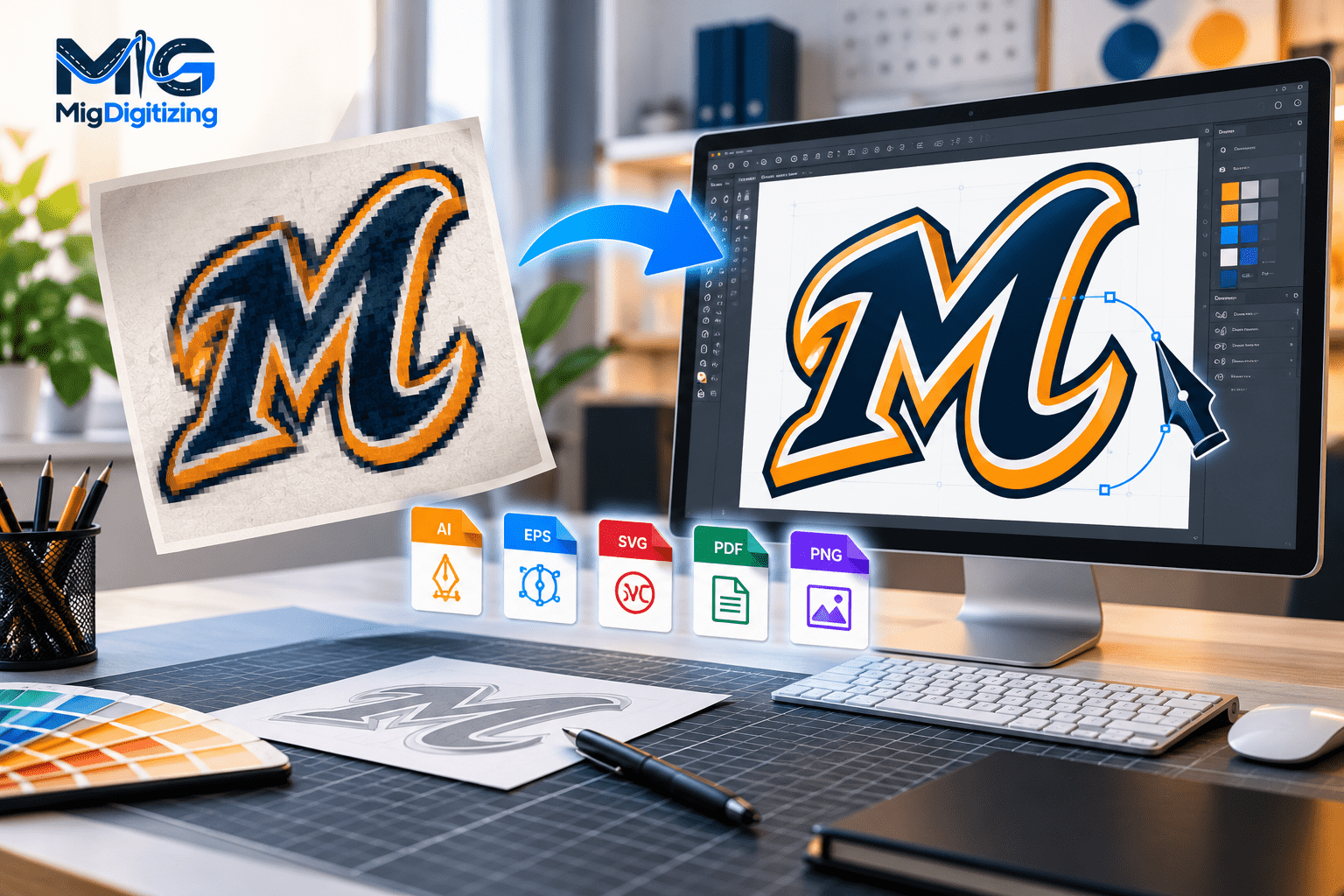
Yes, but the image must be digitized. A JPG or PNG contains visual information rather than the stitch instructions required by an embroidery machine.
Choose software according to your experience, budget, machine compatibility, and required editing features. Beginner-friendly programs may offer guided tools, while professional software provides more detailed control over stitch construction.
Running stitches are a useful starting point for simple outlines. Satin and fill stitches introduce additional considerations such as column width, density, direction, and coverage.
Thread reflects light differently from a screen, and fabric can stretch or shift during stitching. Stitch density, underlay, needle selection, and stabilization can also change the final appearance.
Yes, but the design must suit the available space and construction. Caps may need specialized digitizing, while patches require appropriate borders, backing, and stitch planning.
It can be helpful for suitable artwork, particularly simple shapes and limited-color designs. However, automatic results may need manual corrections and a physical test before production.
You can sell designs you own or have the appropriate rights to commercialize. Make sure any fonts, illustrations, logos, and other included assets permit your intended commercial use.
Consider professional digitizing when you need consistent commercial results, detailed logos, small lettering, complex shapes, or designs intended for repeat production. It can also be useful when your own tests reveal problems you cannot resolve confidently.
Creating your own embroidery designs combines creativity with practical problem-solving.
The process begins with an idea, but successful results depend on how that idea is prepared, digitized, and tested. Clear artwork, suitable stitch types, thoughtful sequencing, appropriate density, and correct machine settings all contribute to the finished appearance.
You do not need to master every technique at once. Start with manageable projects, learn from test samples, and keep track of what works.
As your experience grows, you can move from simple decorative motifs to business logos, jacket designs, custom patches, and more detailed artwork.
For businesses that need production-ready designs, Migdigitizing provides embroidery digitizing, vector conversion, and custom patch services. The aim is to help transform artwork into practical designs suited to real embroidery applications.
Whether you are learning a new creative skill or preparing artwork for a business, careful planning and testing will help you turn more ideas into successful stitched results.
Oct 30 , 2026 at 06:50:39
Oct 28 , 2026 at 03:29:32
Oct 26 , 2026 at 11:50:04