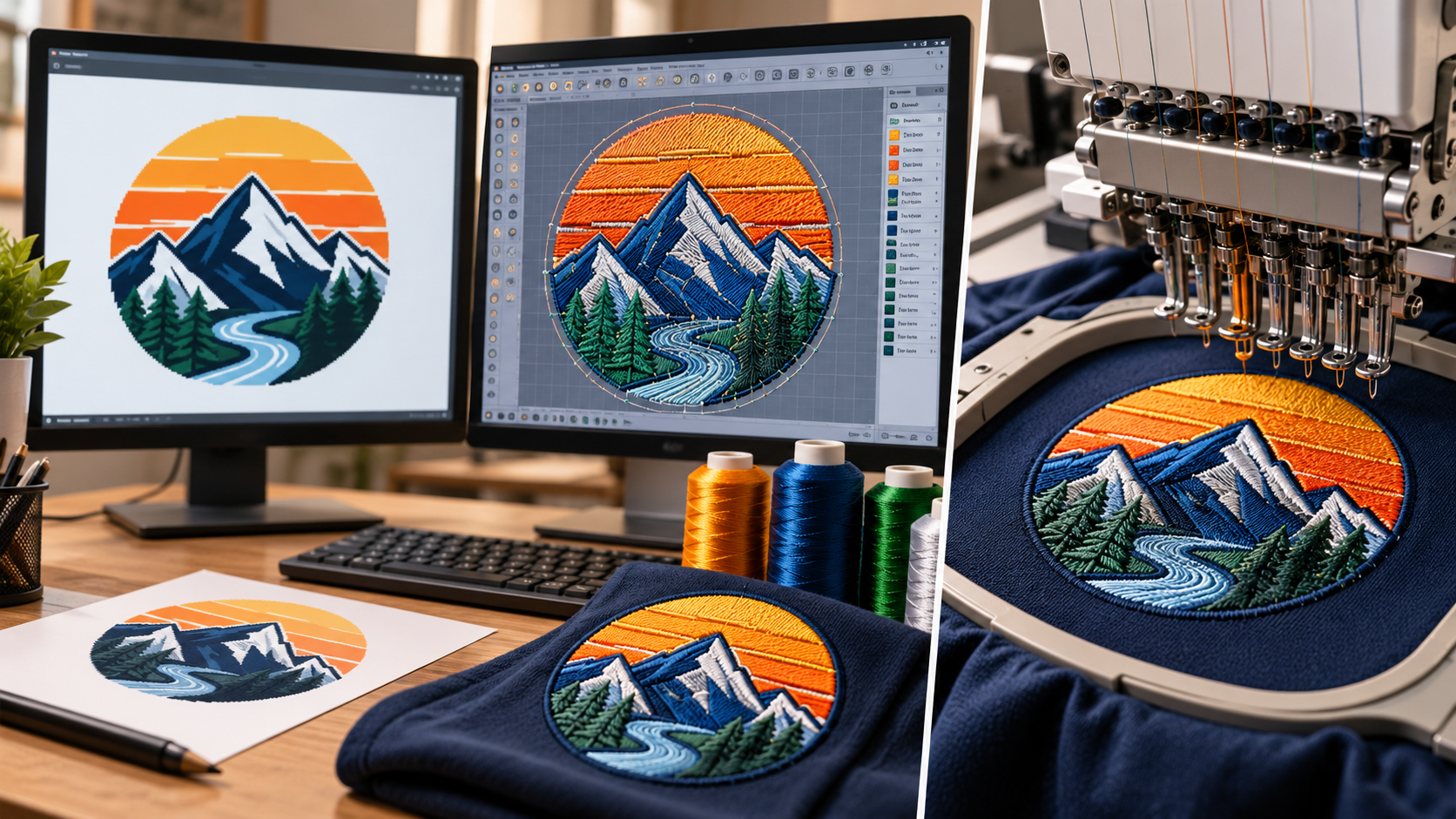
A customer sends you a JPG logo and asks for it to be embroidered on a polo shirt. The image looks sharp on your computer, the colors are correct, and the artwork seems ready to use. However, an embroidery machine cannot read that picture as a stitch design.
Converting a JPG to an embroidery file involves much more than changing its extension. Artwork must be interpreted, prepared, and digitized into instructions telling an embroidery machine where to place stitches, in which direction to sew, and when to change thread colors.
Good digitizing supports clean lettering, smooth outlines, balanced coverage, and consistent results. Poor digitizing can cause puckering, thread breaks, distortion, and wasted production time.
This guide follows the complete workflow from customer artwork to machine-ready delivery. It also explains embroidery file formats, digitizing software, fabric considerations, testing, and common mistakes.
A JPG or JPEG is a raster image made of colored pixels. It is useful for displaying photographs and logos, but it does not contain instructions for an embroidery machine.
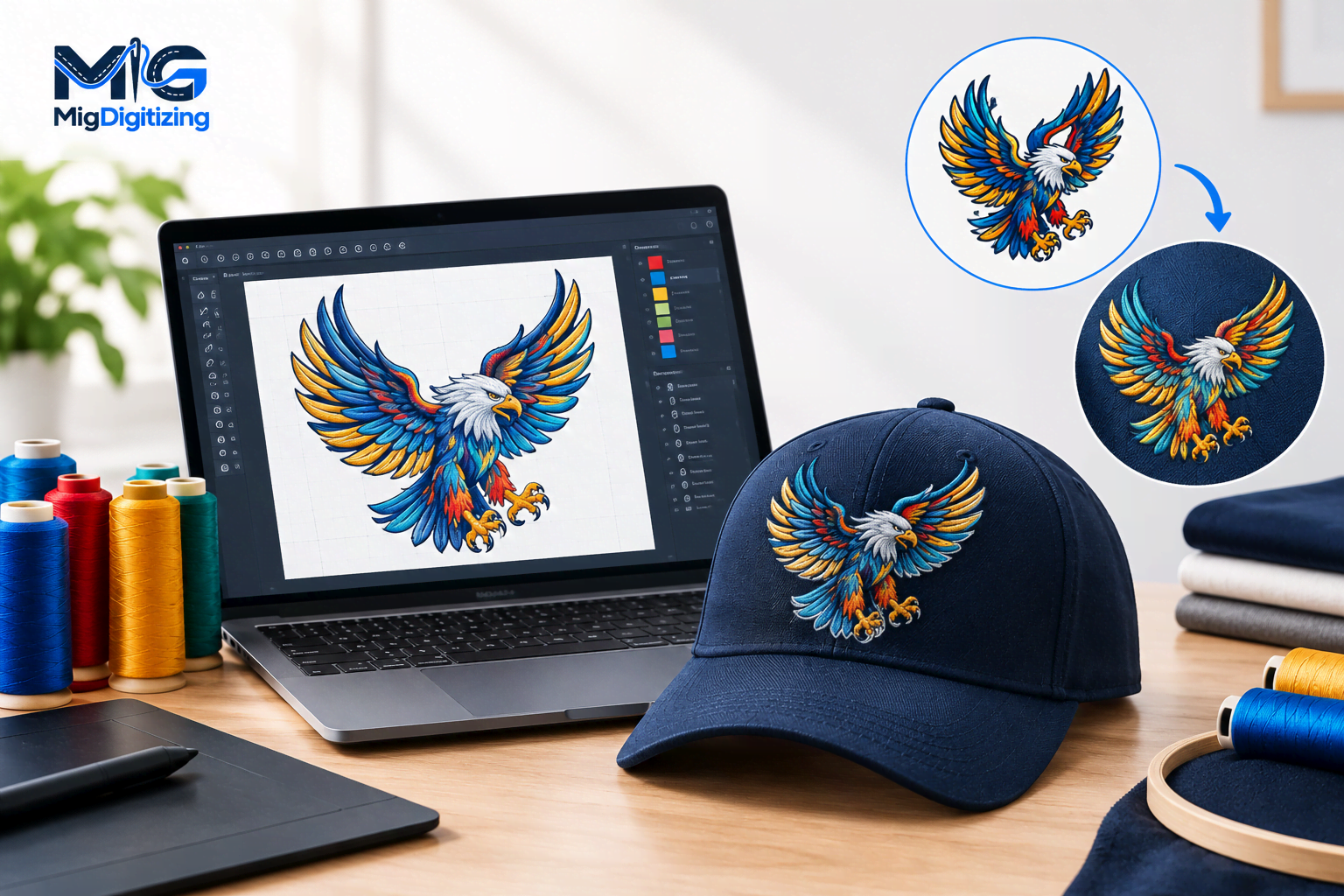
Embroidery digitizing translates artwork into stitch coordinates, directions, density, underlay, trims, jumps, and thread-change instructions.
For example, a blue circle in a JPG is simply a collection of pixels. In embroidery, that same circle might require:
Fill stitches to cover the shape.
Underlay stitches to support the design.
Carefully selected stitch angles.
Appropriate stitch density.
A planned stitching sequence.
The digitizer determines how thread should construct each element of the design.
The key difference: An image shows what a design looks like, while an embroidery file tells the machine how to stitch it.
A successful embroidery project begins before the digitizing software opens.
Customers may provide a logo, screenshot, hand-drawn illustration, or photograph. Clean, high-resolution artwork generally offers more reliable details than a heavily compressed image.
Before proceeding, examine the artwork for:
Clear outlines and edges.
Readable lettering.
Recognizable shapes.
Adequate color contrast.
Compression artifacts or missing details.
Enlarging a blurry image does not restore the original details. Whenever possible, request the original SVG, AI, EPS, or high-resolution PNG artwork.
Collect the following information before starting:
Final embroidery width and height.
Garment or product type.
Fabric composition and stretch.
Embroidery placement.
Required thread colors.
Embroidery machine model.
Required machine file format.
Special techniques, such as appliqué or 3D puff embroidery.
A left-chest logo on a polo shirt requires different technical decisions from a large jacket-back design.
Small lettering also has physical limitations, so confirming the finished dimensions early can prevent unnecessary revisions.
Additionally, establish that the customer has permission to use any protected artwork.
Not every digital effect translates directly into thread.
Carefully inspect the artwork for small text, narrow lines, gradients, shadows, intricate patterns, and overlapping shapes.
A logo that looks detailed on a computer screen may appear crowded when embroidered at only three inches wide.
Some elements may require modification:
Tiny lettering may need enlarging.
Narrow lines may need thickening.
Complex patterns may need simplification.
Overlapping shapes may need adjustment.
Gradients may require alternative stitching techniques.
Photographic shading cannot always be reproduced exactly with ordinary embroidery thread. However, certain visual effects can be approximated through carefully selected colors, stitch directions, and layered stitching.
Simplification should maintain the essential identity of the artwork.
For example, tiny trees inside a mountain logo may be converted into cleaner silhouettes while preserving the recognizable composition.
Discuss significant design changes with the customer before production.
Artwork preparation helps create a more reliable foundation for digitizing.
Begin by removing unwanted backgrounds, correcting jagged edges, separating overlapping elements, and clarifying letterforms.
Be careful when removing white areas because white elements may be part of the logo rather than the background.
JPG compression can introduce visual artifacts around curves and fine details. In some cases, manually redrawing important shapes produces better results than automatic tracing.
Vector conversion can be helpful when the source artwork requires geometric reconstruction, but it is not mandatory for every embroidery project.
A clean JPG can often be digitized directly.
Vector formats such as SVG, AI, and EPS provide scalable paths and shapes, but they do not automatically contain embroidery stitch instructions.
Important: Vector conversion and embroidery digitizing are separate processes.
For artwork that needs scalable reconstruction, explore Migdigitizing Vector Conversion Services.
Embroidery digitizing software allows designers to create stitch objects, adjust embroidery settings, and export machine-compatible formats.
Several applications support different skill levels and production requirements.
Choose software according to your experience, budget, required editing control, and machine compatibility.
Automatic digitizing identifies shapes and proposes stitch structures. It may be useful for simple, high-contrast artwork, but the generated result still requires inspection.
Manual digitizing provides greater control over stitch density, underlay, stitch angles, sequencing, and other technical settings.
Complex logos and production designs frequently benefit from manual decisions or a combination of automatic and manual techniques.
If you prefer outsourcing instead of purchasing software, Migdigitizing Embroidery Digitizing Services provides an alternative for preparing machine embroidery designs.
Import the cleaned JPG into the embroidery software as a visual reference.
Before tracing or creating stitch objects, establish the intended embroidery dimensions.
A design optimized at four inches wide may not stitch correctly if reduced to two inches.
Reducing a design can:
Crowd small lettering.
Compress detailed shapes.
Increase stitch congestion.
Reduce readability.
Enlarging a design can:
Create excessive stitch lengths.
Change stitch coverage.
Affect the intended appearance.
Require adjustments to stitch structures.
Preserve the original logo's aspect ratio unless the customer approves a change.
For substantially different placements, such as a cap front and jacket back, prepare and verify separate embroidery versions instead of relying on a single scaled file.
Selecting suitable stitch types is one of the most important parts of digitizing.
Different shapes require different stitch structures to achieve the intended appearance.
Satin stitches create smooth, closely arranged columns.
They are commonly used for:
Lettering.
Borders.
Narrow shapes.
Decorative outlines.
Very wide satin areas can create long stitches that may snag or become unstable. Such areas may require split satin or fill stitches.
Fill stitches cover larger regions using controlled stitch patterns and angles.
They are commonly used for:
Large logo backgrounds.
Broad filled shapes.
Embroidered badges.
Decorative areas requiring consistent coverage.
Running stitches are suitable for fine outlines, travel paths, and light decorative details.
They can also support certain construction and sequencing requirements.
Most embroidery logos use multiple stitch types.
For example, an embroidered badge may use fill stitches for its background, satin stitches for the outer border and lettering, and running stitches for smaller decorative lines.
Choose stitch types according to physical shape and production requirements rather than applying one stitch style to the entire design.
These technical settings strongly influence embroidery quality.
Stitch density determines how closely embroidery threads are placed.
Excessive density can make the design stiff, increase friction, and contribute to puckering or thread breaks.
Insufficient density can leave visible fabric gaps between stitches.
There is no universal density setting suitable for every design. Fabric type, thread, stabilizer, and stitch structure must all be considered.
Underlay provides a supporting foundation beneath visible embroidery.
Common underlay methods include:
Center-run underlay.
Edge-run underlay.
Zigzag underlay.
The appropriate method depends on the stitch object, fabric, and required stability.
Pull compensation adjusts stitch boundaries to account for fabric movement and thread tension.
Without suitable compensation, satin columns may become narrower than intended, and outlines may appear misaligned.
These settings should be selected for individual stitch objects and verified through actual embroidery testing.
A logical stitching sequence helps maintain registration and reduce unnecessary machine movements, trims, and color changes.
In many designs, background areas are stitched before foreground elements, followed by lettering and final borders.
However, the correct order depends on the construction of the individual design.
Reducing color changes can improve production efficiency, but saving a thread change should not come at the expense of alignment or appearance.
JPG colors are displayed using light, while embroidery thread appearance depends on fiber, sheen, fabric color, and lighting conditions.
For projects requiring accurate brand colors, use approved physical thread charts.
Maintain a color reference sheet containing the thread brand and corresponding color codes.
Some machine formats do not preserve complete thread-color information, making separate production notes especially useful.
After reviewing the stitch plan, export the design into the format required by the embroidery machine.
Different manufacturers and systems support different formats.
| File Format | Common Association |
|---|---|
| DST | Tajima-compatible commercial embroidery workflows |
| PES | Brother and Baby Lock embroidery systems |
| JEF | Janome embroidery machines |
| EXP | Melco and certain commercial systems |
| VP3 | Certain Husqvarna Viking and Pfaff workflows |
| HUS | Older Husqvarna Viking systems |
| XXX | Certain Singer-compatible systems |
Exact compatibility varies by machine model and software version.
A machine embroidery file may not preserve all editable design objects.
Keep the original native digitizing file separately so future modifications can be made more efficiently.
When delivering the exported file, include:
Final embroidery dimensions.
Thread-color information.
Required machine format.
Relevant production notes.
This helps the embroidery operator understand the intended setup.
A software preview cannot fully predict how embroidery stitches will interact with physical fabric.
Testing is particularly important when working with unfamiliar materials, detailed designs, or demanding production requirements.
Use the intended fabric along with suitable stabilizer, thread, needle, hooping, and machine settings.
A design that stitches well on stable cotton may behave differently on a lightweight performance polo.
Caps introduce additional challenges because of their curved surfaces, seams, and limited embroidery areas.
Inspect the sample for:
Lettering readability.
Smooth curves and outlines.
Consistent stitch coverage.
Accurate color registration.
Fabric puckering.
Unnecessary trims.
Loose threads.
Missing stitches.
Thread breaks.
Also inspect the reverse side for clues about tension and stabilization.
If problems occur, review both the digitizing settings and the machine setup.
Adjust the relevant objects, perform another test, and clearly identify the final approved version.
After the design has been reviewed and approved, prepare the final delivery.
Provide the agreed machine format, dimensions, color chart, and relevant production instructions.
Include editable source files only when they are part of the customer agreement.
Descriptive file names make production files easier to identify.
For example:
CompanyLogo_LeftChest_3in_DST_v2.dst
A useful project archive should contain:
Original JPG artwork.
Cleaned or reconstructed artwork.
Native digitizing source file.
Exported embroidery machine file.
Test-sew photographs.
Customer approval and production notes.
A tested file can simplify repeat orders, but changing fabric types or significantly resizing the design may still require additional adjustments and testing.
Several mistakes can reduce embroidery quality or create unnecessary production problems.
| Common Mistake | Why It Causes Problems |
|---|---|
| Renaming JPG to DST or PES | Changing the extension does not create stitch instructions |
| Relying entirely on automatic digitizing | Generated stitch structures may be unsuitable |
| Using excessive stitch density | Can stiffen fabric and contribute to puckering |
| Using insufficient density | May leave visible gaps in coverage |
| Ignoring small lettering limitations | Text may become unreadable when stitched |
| Skipping physical testing | Fabric-related problems may go unnoticed |
| Using one file for every material | Different fabrics and placements behave differently |
The most reliable way to avoid these issues is to confirm specifications, evaluate artwork at the finished size, digitize intentionally, test on representative materials, and document revisions.
Both approaches can work, depending on your experience, budget, and production requirements.
| Factor | DIY Digitizing | Professional Digitizing Service |
|---|---|---|
| Creative control | Direct control over the design process | Depends on communication and revision options |
| Software | Requires suitable digitizing software | Provider generally supplies the software and expertise |
| Learning curve | Requires technical training and practice | Customer does not need to perform the digitizing |
| Time commitment | Includes artwork preparation and digitizing | Customer focuses on supplying requirements and reviewing deliverables |
| Technical adjustments | Managed by the designer | Typically handled according to the service agreement |
| Best suited for | Frequent designers who want hands-on control | Businesses needing specialist preparation or outsourced production files |
DIY digitizing can make sense for designers who regularly create embroidery artwork and are willing to learn stitch behavior, fabric handling, density, underlay, registration, and troubleshooting.
Professional digitizing can be useful for complex logos, small lettering, tight deadlines, or large commercial orders.
When selecting a provider, consider technical competence, file compatibility, communication, and revision support rather than evaluating price or turnaround alone.
For businesses looking to outsource artwork preparation, explore Migdigitizing and its embroidery digitizing solutions.
Yes, tools such as Ink/Stitch can be used to create embroidery designs. However, the JPG still needs to be digitized into stitch instructions, and the resulting file should be tested before production.
Many JPG images can be adapted for embroidery, but tiny details, gradients, and photographs may require simplification or specialized techniques.
The finished result depends on the artwork, embroidery size, fabric, and production method.
A transparent PNG can make artwork cleanup easier because it may already have a separated background.
However, neither JPG nor PNG contains machine embroidery stitch instructions. Both require digitizing.
The time required depends on artwork quality, design complexity, finished dimensions, revision needs, and testing requirements.
Simple logos may require less preparation than complex illustrations with detailed lettering and multiple stitch structures.
Some embroidery software supports resizing existing stitch files, but significant size changes can affect stitch density, stitch lengths, and lettering.
Editing the native source design is generally preferable when substantial resizing is required.
Embroidery uses physical thread rather than digital pixels.
Thread texture, stitch direction, fabric movement, color differences, and the physical limitations of stitching all influence the final appearance.
No. Clear raster artwork can often be digitized directly.
Vector conversion may be helpful when a logo requires reconstruction or cleaner shapes, but it is not a mandatory step for every design.
Converting a JPG to an embroidery file connects digital artwork with physical textile production.
The most reliable results come from clear project specifications, careful artwork evaluation, appropriate stitch selection, fabric-aware settings, and real-world testing.
Whether the work is completed in-house or outsourced, the goal is to produce a recognizable design that stitches efficiently and performs consistently on its intended material.
Oct 23 , 2026 at 09:07:12
Oct 20 , 2026 at 12:06:50
Oct 19 , 2026 at 11:12:47