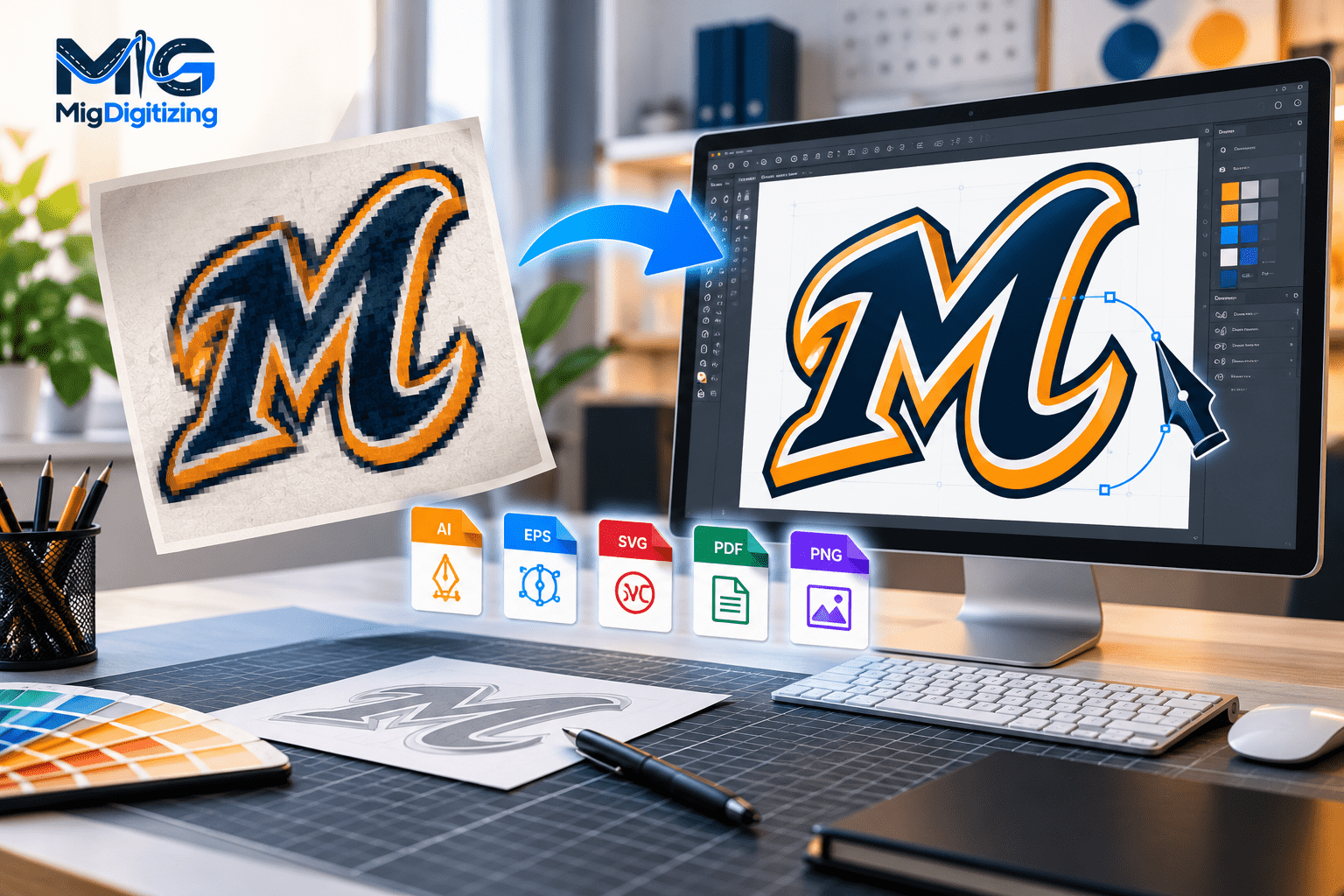
Vector conversion services transform pixel-based artwork, such as JPG, PNG, or BMP images, into scalable graphics created with editable paths, curves, and shapes. These services help businesses prepare logos, illustrations, and artwork for professional printing, signage, apparel decoration, packaging, and other applications requiring precise, resizable designs.
Imagine a small business preparing to print its logo on company uniforms, promotional products, business cards, and a large outdoor banner. The original logo looks excellent on a website, but when the printer enlarges it, the edges become blurry and the lettering loses definition.
This happens because many digital images are created using pixels. When a low-resolution image is enlarged beyond its available detail, individual pixels become visible and the artwork appears distorted.
Vector conversion offers a practical solution.
Instead of relying on a fixed arrangement of pixels, vector artwork uses mathematical paths to describe lines, shapes, and curves. These elements can be resized without introducing pixelation.
Professional vector conversion services help businesses recreate existing graphics as clean, editable artwork suitable for different production requirements.
However, vector conversion is not simply a matter of clicking an automatic tracing button. High-quality results often require careful shape reconstruction, accurate color matching, smooth curves, organized layers, and an understanding of how the final artwork will be used.
This guide explains how vector conversion works, when it is necessary, which file formats are suitable, and how to evaluate the quality of converted artwork.
Vector conversion is the process of transforming raster-based artwork into vector graphics.
Raster images are made from pixels arranged in a grid. Common raster formats include JPG, PNG, TIFF, GIF, and BMP.
Vector graphics use mathematical information to define objects. Rather than storing thousands of individual colored pixels, a vector file can describe a circle using its center, radius, outline, and fill.
This distinction makes vector graphics especially useful for logos, typography, icons, line drawings, and illustrations.
For example, a company logo supplied as a 300-pixel-wide JPG may appear acceptable on a computer screen. Enlarging it for a six-foot banner could expose jagged edges and blurred details.
If the logo is accurately reconstructed as vector artwork, its paths can be enlarged while retaining smooth geometric edges.
| Feature | Raster Graphics | Vector Graphics |
|---|---|---|
| Construction | Individual pixels | Mathematical paths |
| Scaling | Limited by resolution | Resolution-independent geometry |
| Editing | Pixel-based editing | Object and path editing |
| Typical Formats | JPG, PNG, TIFF, BMP | AI, SVG, EPS, vector PDF |
| Best Applications | Photos and detailed textures | Logos, icons, illustrations |
| Enlarging Artwork | May cause pixelation | Maintains clean path edges |
Important: Converting artwork into a vector format does not automatically improve its design. The accuracy of the result depends on the quality of the original reference and the reconstruction process.
Professional raster-to-vector conversion typically follows a structured workflow.
The process begins with examining the source image.
The designer identifies major shapes, outlines, typography, colors, and areas that may require reconstruction.
A simple two-color logo is generally easier to convert than a complicated illustration containing gradients, shadows, or intricate textures.
At this stage, the designer should also understand whether the artwork will be used for printing, cutting, engraving, or digital publishing.
Before tracing, the artwork may need cleaning.
This can include removing unnecessary backgrounds, improving contrast, correcting alignment, and identifying unclear details.
If the original image is heavily compressed, the designer may need additional references to determine the intended appearance.
Increasing image resolution through software does not necessarily restore missing details. It may only make existing pixels larger or estimate new ones.
The designer creates vector paths following the original artwork.
Two common approaches are manual tracing and automatic image tracing.
Manual tracing involves placing anchor points and adjusting curves to recreate shapes accurately.
Automatic tracing uses software algorithms to detect edges and generate vector paths.
Both approaches have advantages, but automatic results often require manual refinement.
A professional designer reviews the generated paths for unnecessary anchor points, uneven curves, distorted corners, and inconsistent spacing.
Excessive anchor points can make artwork difficult to edit and may cause problems in some cutting workflows.
The goal is to create clean geometry that accurately represents the intended design.
The designer checks the artwork's color values and lettering.
If exact brand colors are required, the customer should provide approved color references.
When the original font is unavailable, lettering may need to be reconstructed or matched using an appropriate typeface.
Any significant substitution should be approved before final delivery.
The completed artwork is saved in the requested formats.
A proper quality check confirms that the files open correctly, the paths remain editable, and the exported artwork matches the approved design.
For production-specific projects, additional preparation may be necessary.
One of the most important decisions in vector conversion is choosing between manual and automated methods.
Automatic tracing tools analyze a raster image and attempt to recreate its visible boundaries as vector shapes.
Programs such as Adobe Illustrator and Inkscape offer tracing capabilities.
Automatic tracing can work well for simple icons, bold silhouettes, and artwork with clear color separation.
However, it may introduce irregular edges, unnecessary paths, inaccurate corners, or excessive detail.
A blurry image can produce particularly poor results because the software may trace compression artifacts rather than the intended artwork.
Manual tracing gives the designer greater control over the final geometry.
The designer can deliberately reconstruct curves, correct proportions, simplify shapes, and preserve important visual characteristics.
This method is particularly useful for logos, lettering, mascots, and artwork requiring consistent production quality.
Neither method is universally superior.
Automatic tracing can accelerate simple projects, while manual tracing is often more appropriate when accuracy and editability matter.
A hybrid workflow may provide the best balance: use automatic tracing for suitable elements, then manually correct the results.
The quality of the finished paths is more important than the particular method used to create them.
Vector conversion services support a wide range of artwork categories.
Company logos
Brand marks, wordmarks, monograms, and business identity graphics.
Mascot illustrations
Sports graphics, character artwork, and merchandise illustrations.
Line art and drawings
Hand sketches, technical outlines, and decorative graphics.
Lettering and badges
Typography, emblems, labels, and apparel artwork.
Companies frequently need vector versions of their logos for signs, uniforms, promotional materials, and packaging.
A properly reconstructed logo can support consistent branding across different sizes and production methods.
Sketches and illustrations can be converted into editable vector shapes.
The amount of detail retained depends on the artwork's intended application.
Mascot designs often contain multiple colors, outlines, and overlapping shapes.
Professional vectorization helps organize these elements for editing and reproduction.
Lettering can be converted into vector outlines for reliable shape reproduction.
However, outlined lettering is no longer editable as ordinary text. If future wording changes are expected, retaining a separate live-text version may be useful.
Photographs are generally better preserved as raster images.
Although photographs can be stylized into vector illustrations, converting them does not automatically preserve their photographic appearance.
Choosing the correct vector format is essential for compatibility and production efficiency.
| Format | Main Purpose | Important Consideration |
|---|---|---|
| AI | Adobe Illustrator editing | Compatibility depends on software version |
| SVG | Web graphics and scalable illustrations | Some production systems require specific SVG structures |
| EPS | Legacy and commercial graphics workflows | Verify the receiving supplier's requirements |
| Artwork sharing and print workflows | May contain raster, vector, or mixed content | |
| DXF | CAD and certain cutting applications | May require geometry cleanup and unit verification |
| CDR | CorelDRAW workflows | Native editing depends on compatible software |
Adobe Illustrator files are commonly used for professional design editing.
They can preserve editable paths, layers, and other artwork information.
Scalable Vector Graphics are widely used for web illustrations, icons, and compatible cutting workflows.
SVG files can contain paths, shapes, text, and other graphical elements.
EPS remains useful in some printing and legacy production environments.
However, it should not be assumed that every supplier requires or prefers EPS.
PDF is a flexible format for artwork sharing and production.
A PDF may contain vector paths, raster images, or both. Therefore, saving a JPG inside a PDF does not automatically convert it into vector artwork.
DXF is commonly associated with CAD and certain cutting workflows.
A design prepared for cutting may require closed paths, suitable units, and geometry that differs from ordinary print artwork.
Best practice: Keep an editable master file and export separate delivery files according to the receiving printer's or manufacturer's specifications.
Vector artwork supports numerous commercial applications, particularly when businesses need consistent branding across different materials.
Screen printing often requires clearly defined artwork and controlled color separation.
Vector graphics can help printers isolate shapes, manage spot colors, and prepare designs for printing on T-shirts, hoodies, uniforms, and merchandise.
However, vector conversion alone does not necessarily include screen-print separations. These may require additional preparation.
Sign manufacturers use vector artwork for logos, lettering, decals, and other graphics.
Because vector shapes can be enlarged without pixelation, they are particularly suitable for large signs and displays.
The final production file must still meet the sign manufacturer's specifications.
Product packaging often combines logos, text, illustrations, and technical layout elements.
Vector artwork can help maintain consistent logo geometry across boxes, labels, and other packaging materials.
The complete packaging file may additionally require bleed, dielines, color profiles, and supplier-specific templates.
Cutting equipment frequently uses paths to determine where a machine should cut or engrave.
For these applications, clean geometry is essential.
Overlapping shapes, open paths, duplicate lines, and excessive anchor points can create production problems.
Vector logos are useful for branded mugs, pens, bags, stationery, and corporate gifts.
Different manufacturers may request different artwork formats, even when producing items with the same logo.
Vector conversion and embroidery digitizing are related but distinct services.
Vector conversion creates scalable graphic artwork.
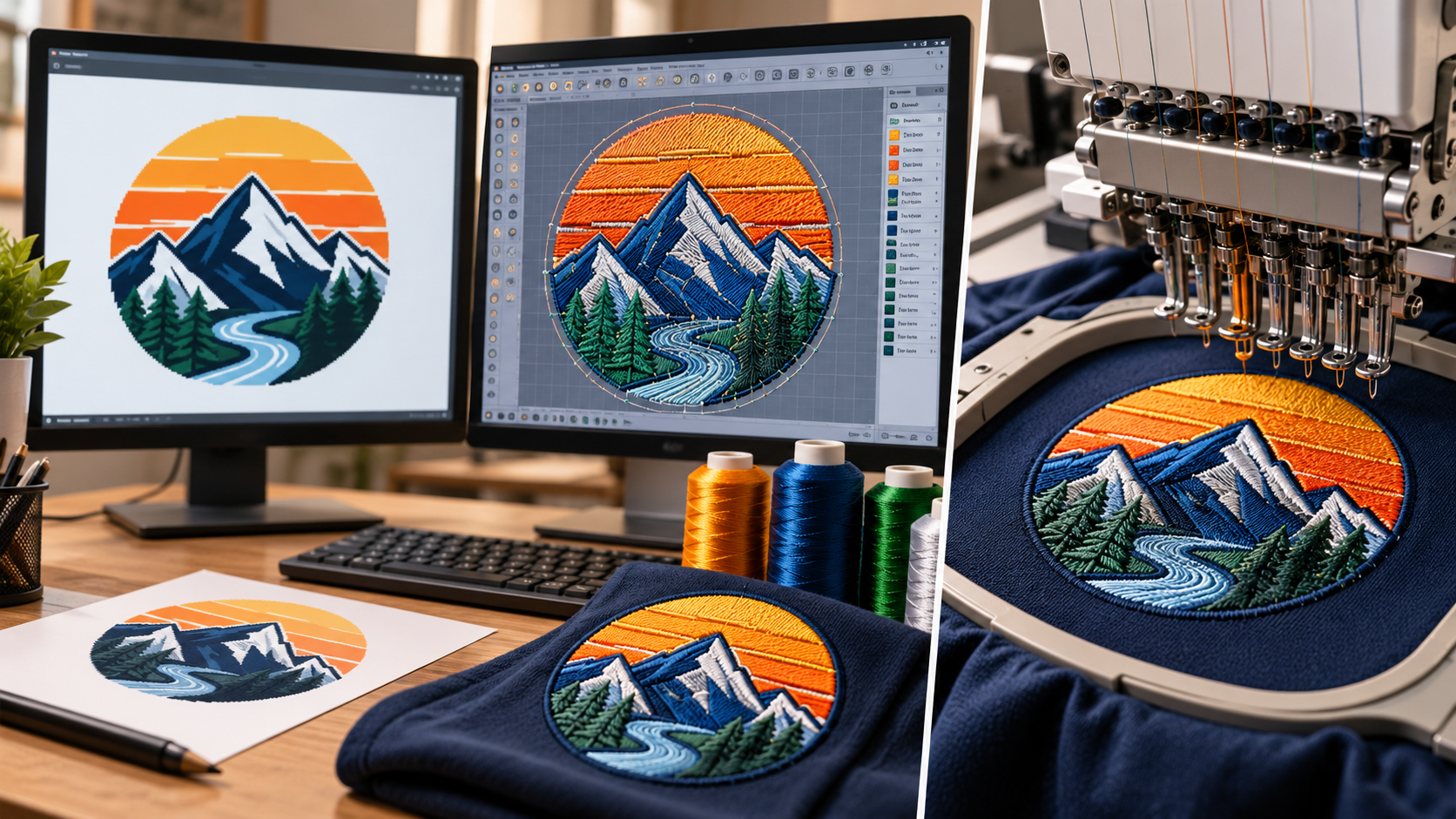
Embroidery digitizing creates machine instructions that determine how thread will be stitched onto fabric.
For example, a vector logo may contain a red circle and white lettering. To embroider that logo, a digitizer must determine stitch types, density, underlay, sequencing, and other embroidery-specific settings.
A vector file does not automatically contain this information.
Clean vector artwork can provide a convenient reference for embroidery digitizing.
It may help the digitizer identify shapes, boundaries, and lettering more accurately.
However, vector conversion is not always required before digitizing. Many embroidery designs can be created directly from suitable JPG or PNG artwork.
The decision depends on the source image and the complexity of the design.
Accurate vector artwork helps maintain recognizable proportions, lettering, and shapes across different applications.
Individual vector objects can often be recolored, resized, or adjusted without rebuilding the entire design.
Vector geometry can be enlarged for banners or reduced for smaller printed materials without introducing pixelation.
Clean paths can simplify certain printing, cutting, and decoration workflows.
However, additional preparation may still be required for the final production method.
Keeping an editable vector master reduces dependence on small raster copies.
Businesses can reuse the artwork for future campaigns, products, and marketing materials.
Poorly prepared vector files can cause difficulties even when they look acceptable in a preview.
Automatic tracing may generate thousands of unnecessary points.
This can make artwork difficult to edit and create irregular curves.
Font substitutions can change the appearance of a brand.
Letter shapes, spacing, and proportions should be checked carefully.
Placing a JPG inside an AI, SVG, or PDF file does not automatically make the artwork vector.
Inspect the actual objects to confirm that the intended elements have been converted into paths.
Colors may appear different across screens, printers, and materials.
Use approved brand references and confirm the required production color mode.
A file suitable for a website may not be ready for vinyl cutting or screen printing.
Always prepare artwork according to its final use.
Selecting a provider involves more than comparing turnaround times.
Review the provider's ability to reconstruct artwork accurately and deliver files suitable for your intended production process.
Look for examples involving similar artwork, such as logos, lettering, mascots, or technical illustrations.
Ask whether the service includes manual cleanup, editable source files, multiple formats, proof approval, and revisions.
Clarify whether additional work, such as color separations or cutting-file preparation, is included.
A provider should also explain when the original artwork is too unclear to reconstruct confidently.
For businesses ordering vector conversion services online, a clear brief can prevent misunderstandings and unnecessary revisions.
Before submitting an order, collect the best available version of the design.
Ideally, provide the original artwork rather than a screenshot or compressed image downloaded from social media.
Include the intended application, finished dimensions, preferred file formats, and any color or typography requirements.
If the design contains unusual lettering or small details, supply additional references.
Specify whether the artwork should remain identical to the original or whether minor cleanup and simplification are acceptable.
For commercial projects, confirm that you have the necessary rights to reproduce the artwork.
Clear instructions allow the designer to focus on accurate reconstruction rather than guessing the customer's expectations.
Before approving a completed vector file, inspect it at different sizes.
Zoom in to review curves, corners, lettering, and intersections.
Look for irregular shapes, unnecessary objects, unwanted gaps, and inconsistent outlines.
Open the file in compatible software and confirm that the expected paths are editable.
Check whether fonts, linked images, and other dependencies have been handled appropriately.
For cutting projects, inspect path closure and overlapping geometry.
For printing, confirm that the artwork meets the printer's color, dimension, and file requirements.
Finally, retain the approved artwork and its associated production files for future use.
Vectorization is the broader process of creating vector artwork from an existing image. Image tracing is one method used during that process. Professional vectorization may include manual reconstruction, path cleanup, typography correction, and production preparation.
Yes, recognizable shapes can often be reconstructed. However, missing details cannot always be recovered accurately. Additional references may be needed to confirm lettering and design elements.
SVG is generally more suitable for scalable graphics and editable vector illustrations. PNG is useful for raster images, transparent graphics, and digital previews. The better format depends on the intended application.
Vector files can serve as references for embroidery digitizing, but they are not automatically machine-ready embroidery files. Embroidery requires stitch instructions in a compatible format.
Yes. Software such as Inkscape offers free vector tracing and editing tools. However, complex designs may require considerable manual work to achieve clean, accurate results.
The time depends on artwork complexity, source quality, required file formats, and revisions. Simple logos may be completed relatively quickly, while detailed illustrations and complex typography require more work.
It can improve the sharpness and scalability of logos, text, and other path-based graphics. However, final print quality also depends on equipment, materials, color management, and production settings.
Depending on the agreed scope, you may receive an editable master file, production-ready exports, and a preview image. Confirm the formats and whether specialized cutting, printing, or embroidery preparation is included.
Vector conversion services help businesses transform existing artwork into scalable, editable graphics suitable for professional applications.
The process involves more than changing a file format. Accurate conversion requires careful reconstruction, smooth geometry, correct typography, appropriate colors, and attention to production requirements.
For logos, promotional merchandise, signage, packaging, and apparel decoration, well-prepared vector artwork can support consistent branding and more efficient production.
The most effective approach is to begin with the best available source image, clearly define the intended use, and evaluate the finished file before sending it into production.
Oct 26 , 2026 at 11:50:04
Oct 23 , 2026 at 09:07:12
Oct 20 , 2026 at 12:06:50